This page is the deep technical reference for the pro-forma's financial structure. For the short version, see Net Cash Flow (NCF) formula.
The full layout
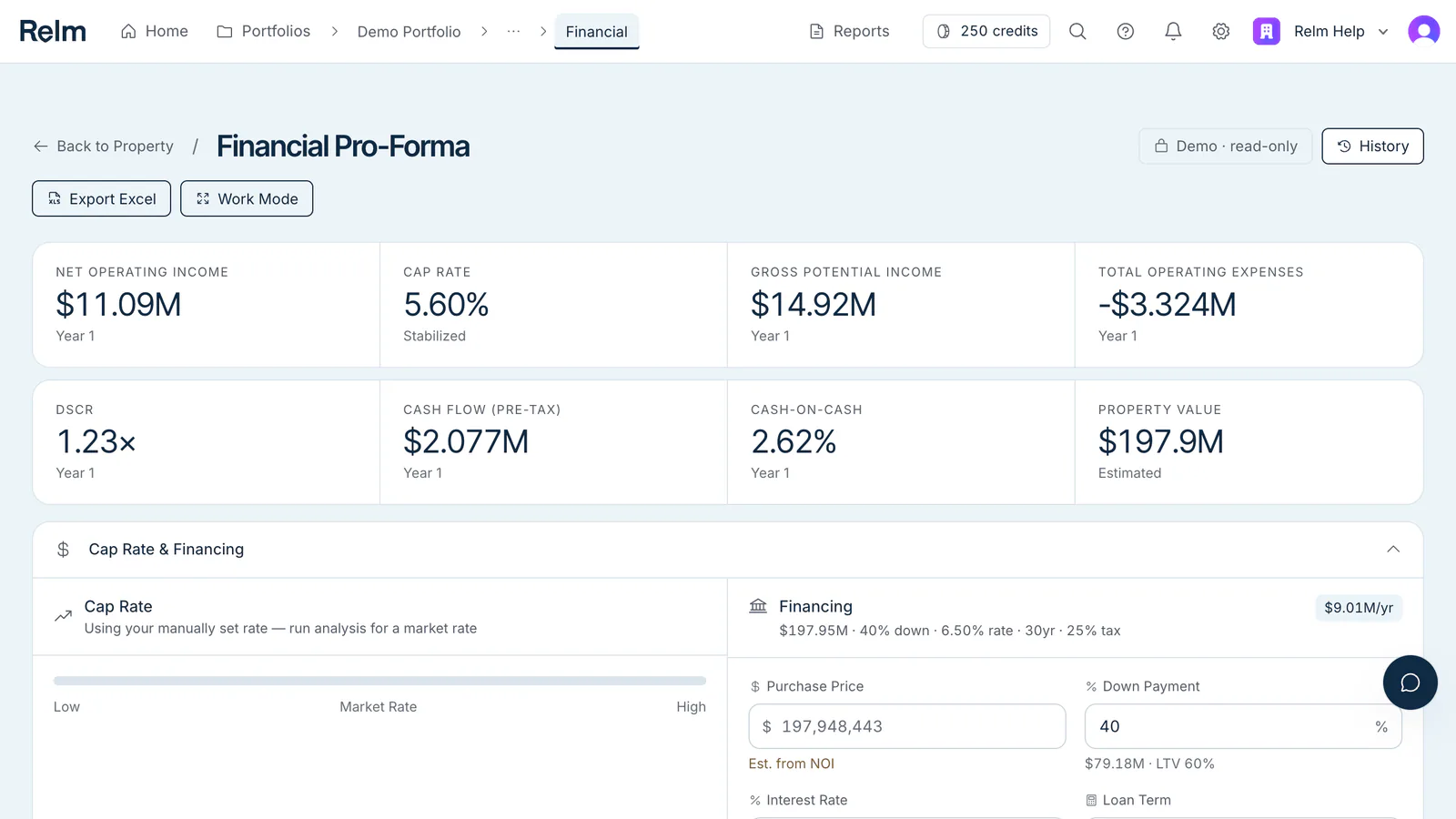
Each year (Year 1 through Year 10) has the same vertical structure:
Income
  Gross Potential Income         (GPI)
  Other Income                   (OI)
Losses
  Vacancy & Collection Loss                    [negative]
  Credit Loss                                  [negative]
= Effective Gross Income         (EGI)         = Income + Losses

Operating Expenses
  Property Taxes
  Insurance
  Repairs
  Maintenance
  Management Fees                (% of EGI)
  Leasing Fees
  Legal Fees
  Accounting Fees
  Engineering Fees
  Marketing Fees
  Consulting Fees
  Utilities
  Services
  Reserves for Replacements
= Total Operating Expenses       (OpEx)

= Net Operating Income           (NOI)         = EGI - OpEx

Capital Expenditures                           [only when present]
= Net Cash Flow                  (NCF)         = NOI + Capital Items - DS

Financing & Debt Service
  Total Acquisition Cost
  Annual Debt Service            (DS)
  Debt Service Coverage Ratio    (DSCR)        = NOI / DS

Cash Flow Analysis
  Cash Flow Before Taxes         (CFBT)        = NOI - DS
  Cash Flow After Taxes          (CFAT)        = CFBT - estimated income tax
  Cumulative Cash Flow                         = running total of CFAT

Valuation Metrics
  Property Value                               = NOI / Cap Rate
  Cap Rate
  Gross Rent Multiplier          (GRM)         = Price / Gross Income
  Equity Multiple                              = Cumulative Cash Flow / Equity
  Cash-on-Cash Return                          = CFBT / Equity
In Year 1, Property Value is your purchase price when you've entered one. "Equity" is your down payment.
The model runs ten years and doesn't include a sale at the end: there's no exit price, selling costs, loan payoff, or net sale proceeds. To value an exit, capitalize Year-10 NOI at your chosen cap rate outside the model.
The NCF formula
NCF = NOI + Capital Items - Debt Service
NCF is the Net Cash Flow row. When the model has no capital items, it equals Cash Flow Before Taxes. Unlevered cash flow is NOI + Capital Items — Net Cash Flow before debt service.
Where management fee fits
Management fee is in OpEx, not below it. This is a deliberate choice — most institutional underwriters include mgmt fee in NOI rather than treating it as a below-the-line allocation, and our model follows that convention. If you need it below the line for an institutional template, override mgmt fee to 0 in the pro-forma and add it back below NOI in your own template (for example, in Excel).
Vacancy: physical vs economic
Relm models two loss lines: Vacancy & Collection Loss (income lost to empty units between tenants) and Credit Loss (bad debt, evictions, and concessions). Both are negative and come off gross potential income to give EGI. Edit either line directly if you want a different split.
Per-unit benchmarks
Operating expense lines that don't have a P&L source default to per-unit (or per-square-foot) benchmarks for the asset class, submarket, and building age. Click a line to see how it was estimated — its Key Assumptions, Methodology & AI Reasoning, and Sources & Citations.
Override individually if you have better information.
Excel formulas
When you download the pro-forma with Export Excel, the line items are written as values, and everything derived from them — section totals, EGI, NOI, Net Cash Flow, DSCR, cash flows, and valuation metrics — is a formula that references those rows and the assumptions on the Inputs sheet. For example, in each year's column:
Effective Gross Income = Income + Losses
Net Operating Income   = Effective Gross Income + Operating Expenses   (expenses are negative)
Net Cash Flow          = Net Operating Income - Annual Debt Service
The pro-forma sheet that the Excel add-in builds wraps its formulas in IFERROR(..., ""), so empty or error states render blank. When you push back from the add-in, only the line-item values are sent to Relm — Relm recalculates the totals itself, and cells you add outside the pro-forma's rows aren't synced.
Returns calculation
- DSCR —
NOI / Annual Debt Service, computed each year. - Cash-on-cash —
Cash Flow Before Taxes / equity(your down payment), computed each year. - Cash Flow After Taxes — CFBT minus estimated income tax at your Tax Rate (25% by default), after straight-line depreciation of 80% of the property's value over 27.5 years.
- Equity multiple — cumulative after-tax cash flow divided by equity. No sale proceeds are included, because the model doesn't include a sale.
- IRR — not calculated. Build it from the Net Cash Flow row and your own exit assumptions (for example, in Excel).