The Relm Pro pro-forma is a 10-year financial projection of the property's operating performance, capital needs, and debt-service profile. It's what the Financial section card on every property generates.
Structure
The pro-forma is laid out as a stack of standard line items running across Year 1 through Year 10:
- Income — Gross Potential Income and Other Income, less Losses (Vacancy & Collection Loss, Credit Loss) → Effective Gross Income.
- Operating Expenses — Property Taxes, Insurance, Repairs, Maintenance, Management Fees, Leasing Fees, Legal Fees, Accounting Fees, Engineering Fees, Marketing Fees, Consulting Fees, Utilities, Services, and Reserves for Replacements.
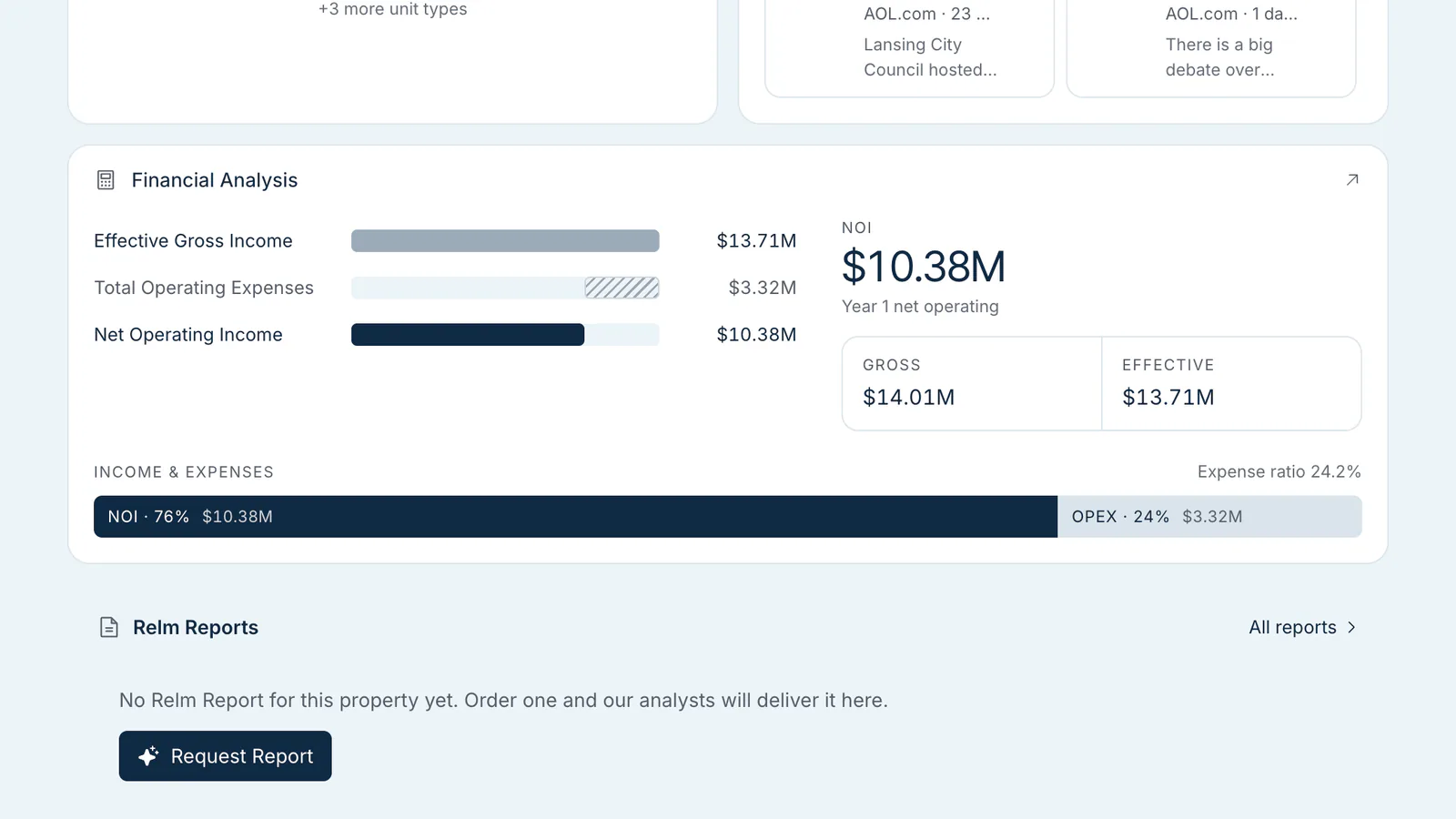
- NOI — Effective Gross Income minus Operating Expenses.
- Capital Expenditures — shown only when the model includes capital items.
- Net Cash Flow (NCF) —
NOI + Capital Items - Debt Service. - Financing & Debt Service — Total Acquisition Cost, Annual Debt Service, and DSCR, calculated from your financing inputs.
- Cash Flow Analysis and Valuation Metrics — cash flow before and after taxes, cumulative cash flow, property value, cap rate, gross rent multiplier, equity multiple, and cash-on-cash return.
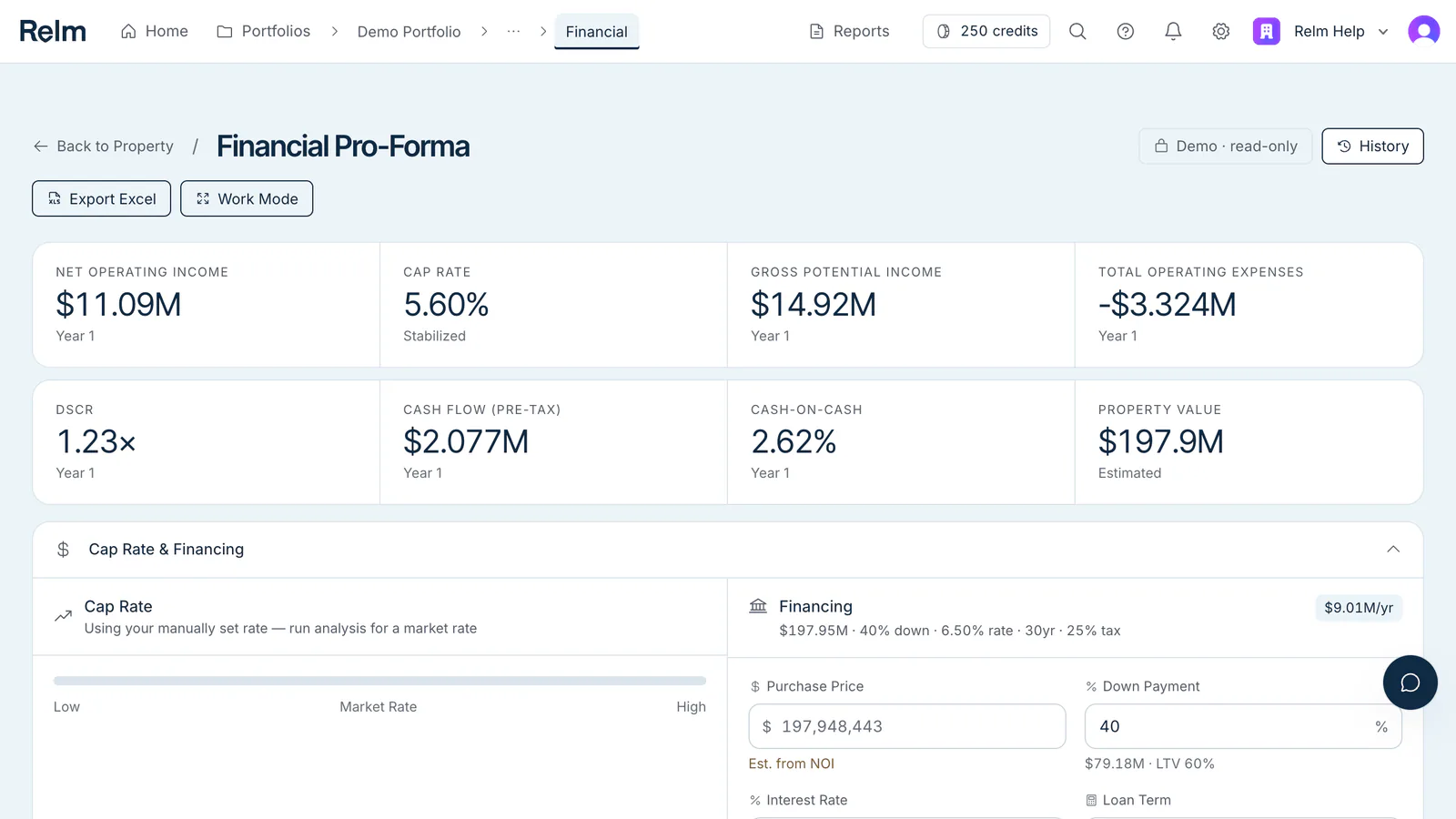
Above the table, a metrics bar shows Year-1 NOI, cap rate, gross potential income, total operating expenses, DSCR, pre-tax cash flow, cash-on-cash, and estimated property value. The Cap Rate & Financing panel holds the cap rate and loan inputs (purchase price, down payment, interest rate, loan term, closing costs, tax rate).
What makes it AI-generated
Each line item is built from a combination of:
- Your uploads — the rent roll feeds Gross Potential Income; a P&L feeds expense baselines; an OM contributes context.
- Public data — taxes from the Taxes section, insurance benchmarks from the asset class and submarket.
- Submarket benchmarks — for line items where uploads or public data are thin, Relm uses asset-class- and submarket-specific benchmarks (rent growth, expense ratios, vacancy).
- Explicit assumptions — the rest. Each assumption carries a rationale and is overridable.
Click any line item to see its sources, key assumptions, and the AI's reasoning, so you can tell which is which. If the model has a specific reason to doubt a result, a These figures need review banner lists why, and rows where a one-time capital cost was moved out of operating expenses carry a small capital adj. marker.
NCF formula
NCF = NOI + Capital Items - Debt Service
This is the Net Cash Flow row in the table; when the model has no capital items, it's NOI minus debt service. See Net Cash Flow (NCF) formula.
Generating the model
Click Generate Pro-Forma on the Financial card of the property workspace, or Run Financial Analysis on the Financial page (where you can also choose Build Pro-Forma Manually). To have it start on its own, tick Run Financial Analysis automatically when Intel Report finishes when you start an Intel Report. Relm won't start an AI pro-forma until the Intel Report has produced the sections it reads — until then, the button says Run Intel Report first.
On Self-Serve, generation is charged in credits when the run completes, based on the data and AI work it delivers — typically 60–220 credits for the pro-forma alone, depending on property size. You get 1,000 credits per month, banked up to 4,000 (plus 250 free on signup). Enterprise uses a larger metered allowance. See Credits explained.
Generation takes 7–20 minutes. While it runs, a progress display in the section shows which agent is at work.
What the pro-forma is not
- Not an underwriting committee deck. It's the model; you decorate it.
- Not an investor IRR waterfall. It models the property; the structure that pays out to LPs is downstream.
- Not a forever model. Beyond Year 10, you're projecting noise. The model doesn't include a sale — use the cap rate and Year-10 NOI to build terminal value.
If you need a polished investor-ready deliverable for a high-stakes deal, the Relm Report is the human-reviewed version.