Portfolios are how you group properties in Relm Pro. You might keep "2026 Acquisitions" separate from "Sunbelt Pipeline", or have one portfolio per fund, or one per partner. There's no enforced taxonomy — split them however your team thinks about the business.
Plan limits
- Self-Serve — one portfolio per organization.
- Enterprise — unlimited portfolios.
The sample Demo Portfolio doesn't count toward this limit. If you're on Self-Serve and need more than one, upgrade to Enterprise or reach out to sales.
Create a portfolio
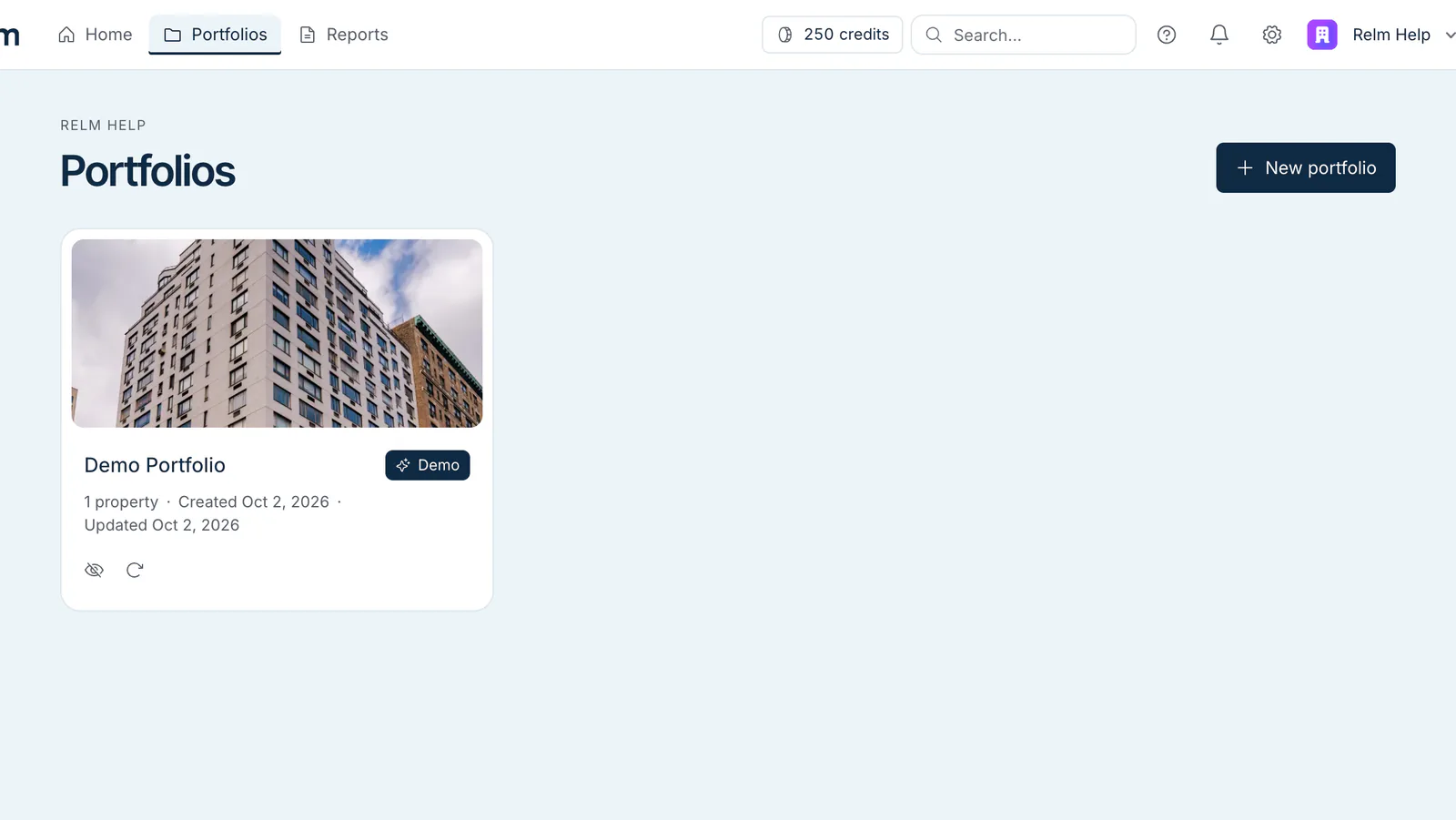
- Go to /dash/portfolios (the Portfolios link in the header).
- Click New portfolio. On Self-Serve, once you have a portfolio this button is replaced by a note about upgrading.
- Type a name — short and obvious is best ("Pipeline 2026", "Fund III"). Leave it blank and it's called "Untitled Portfolio".
- Click Create.
The new portfolio opens, empty. You can immediately add a property to it by address, or come back later.
You can also create a portfolio while adding a property: in the Add to Portfolio list, choose Create new portfolio, type a name, and click Create & Add Property.
Naming guidance
- Keep names short — they're the first thing in the breadcrumb when you're inside a property, and long names are collapsed to "…" when the header runs out of room.
- Avoid mixing pipelines and funds in one portfolio if you ever want aggregate finances on it (the Portfolio Finances view) — splitting cleanly later is more work than starting cleanly.
- Year suffixes ("2026", "FY26") are useful if you re-roll pipelines annually.
Renaming
Portfolios can't be renamed in the app today, so pick a name you're happy to keep. The portfolio URL is /dash/portfolios/<id>, where <id> is a stable internal identifier, so shared links don't depend on the name.
Deleting
Only the teammate who created a portfolio can delete it. Click Delete on the portfolio's page (or the trash icon on its card in the Portfolios list), then confirm. Deleting a portfolio:
- Removes the portfolio from the org.
- Removes the properties inside it.
- Does not refund credits for analyses already run — that work was already delivered.
This is permanent — there's no undo. If you might want the data later, export any pro-formas to Excel first.
The Demo Portfolio can't be deleted. You can hide it from your own list, or use Reset demo to restore its sample data for everyone in your organization.
Sharing portfolios across the team
Every member of an organization can see every portfolio in that organization. There's no per-portfolio ACL today. If you need stricter isolation (e.g. an investor-relations workspace separate from internal acquisitions), set up two organizations and share the people who need both via dual membership. Talk to sales about Enterprise SSO if this is a hard requirement.