Most connection problems come down to three things: the key or sign-in, the workspace's plan, or the assistant not supporting either way of connecting. Work through them in that order.
The key is missing or wrong
Relm answers a missing, wrong, revoked or expired key with HTTP 401 and invalid_api_key. Assistants word this differently:
| You see | In |
|---|---|
| ✘ Failed to connect, "Server rejected the configured Authorization header (HTTP 401)" | Claude Code (claude mcp list) |
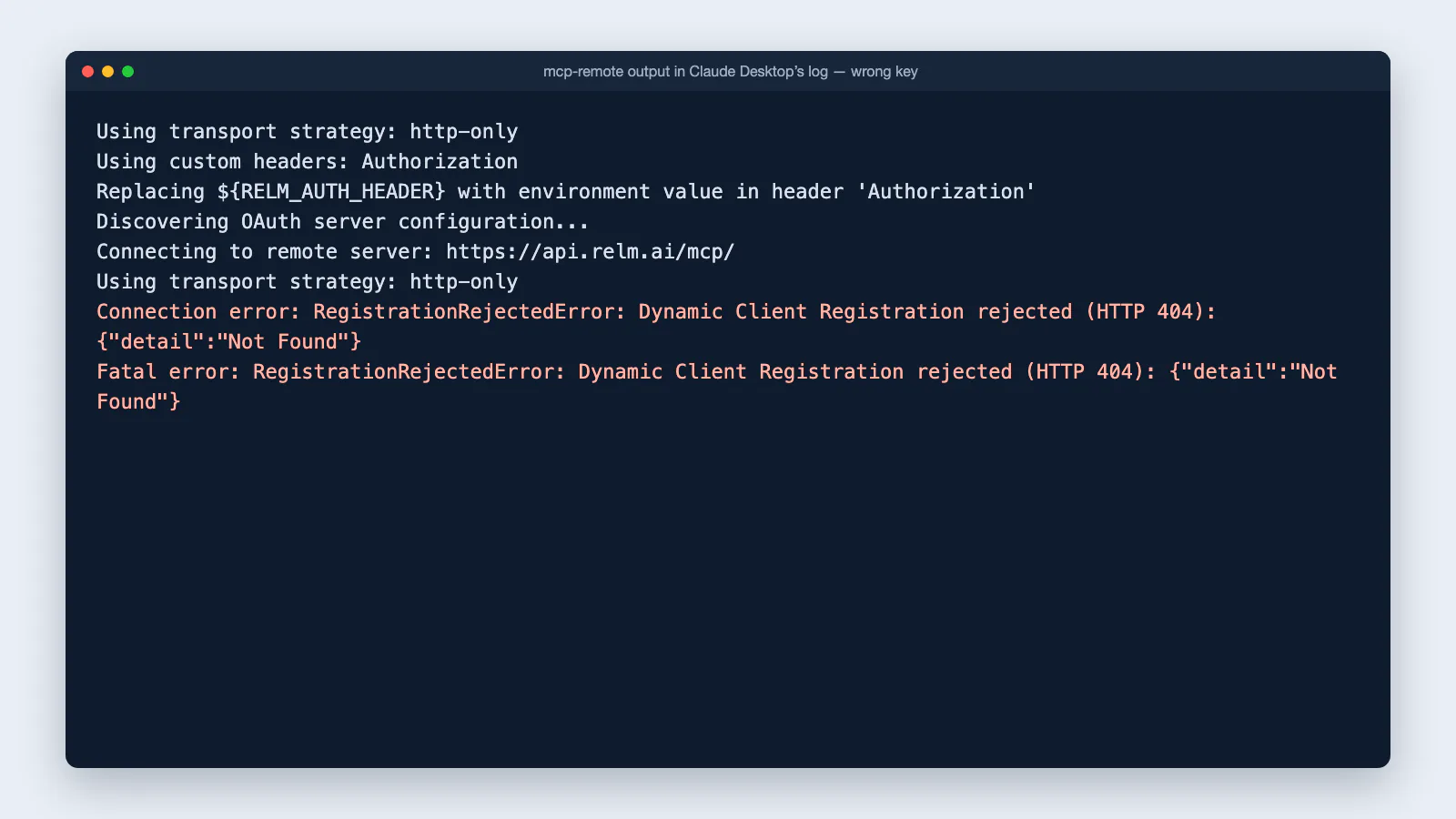
| "Dynamic Client Registration rejected (HTTP 404)" in the logs | Claude Desktop with mcp-remote |
| A sign-in, "Authenticate" or "needs auth" prompt for Relm | VS Code, Visual Studio, Codex, Gemini CLI |
| "Couldn't reach the MCP server" | claude.ai custom connectors |
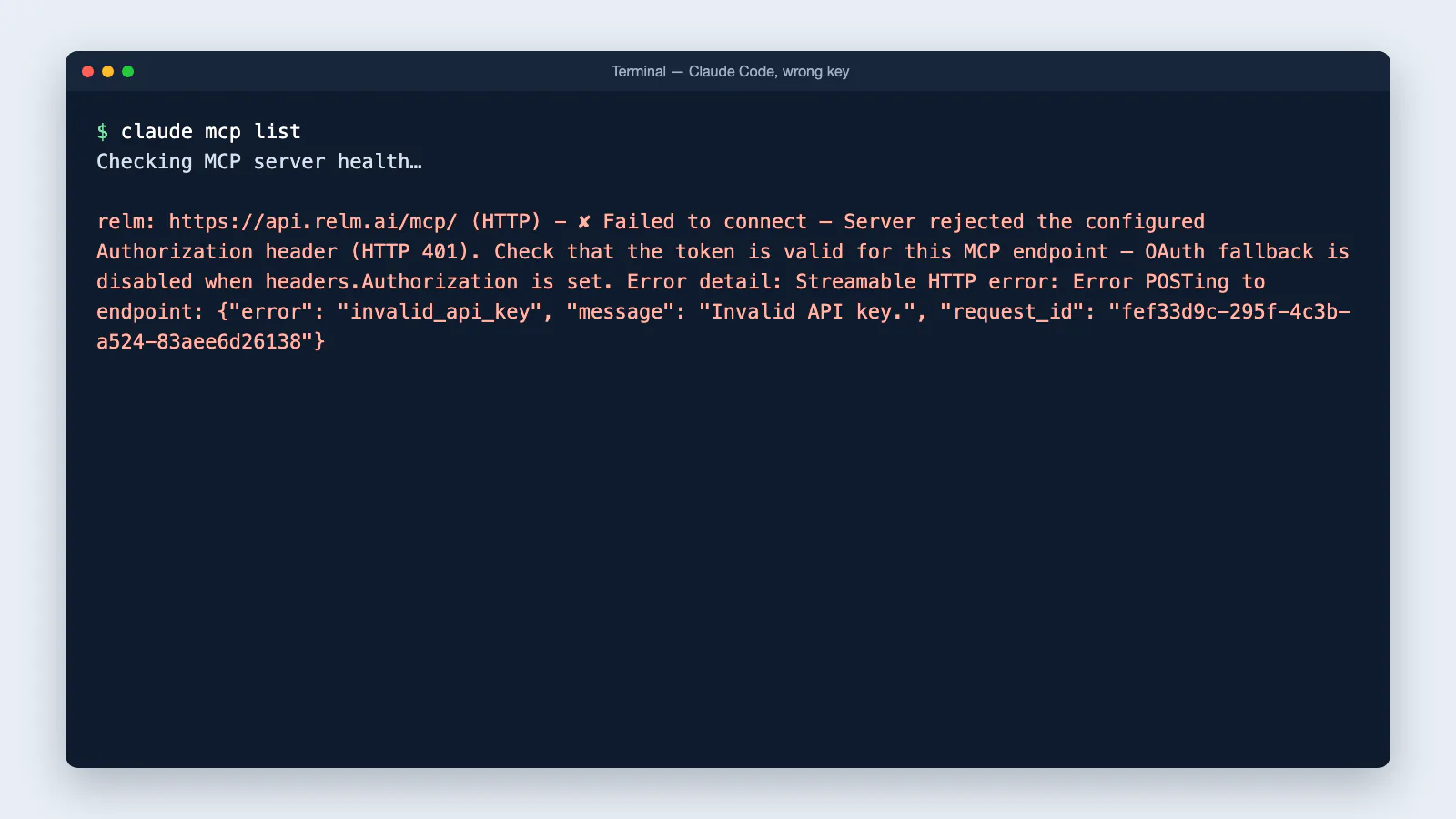
If you set up a key and get a sign-in prompt for Relm, the key did not arrive. Relm offers sign-in to every assistant, so when a key is missing or rejected, some assistants offer to sign in instead. You can sign in with your Relm account, or fix the key as below.
To fix it:
- Check that the header value is
Bearer(with a space) followed by the whole key,relm_sk_…, with no quotes, line breaks or spaces at the end. - Check the header name is
Authorization. - Check the key is still Active in Settings → Developer. If in doubt, create a new key and replace it.
- If the key comes from an environment variable, make sure the assistant can see it. Apps opened from the macOS Dock or Start menu do not read your shell profile. Put the key in the app's config file instead, or start the app from a terminal.
Signing in does not finish
When you connect by signing in (chatgpt.com, claude.ai, Gemini, Copilot Studio), Relm can refuse after the sign-in page:
organization_required: you did not choose a workspace. Disconnect Relm in the assistant, connect again, and pick your workspace on Relm's consent screen.not_a_member: the Relm account you signed in with does not belong to the workspace you chose. Sign in to relm.ai once with that account, then connect again and pick a workspace you belong to.invalid_tokenor a fresh sign-in prompt: the sign-in expired or was meant for another service. Disconnect Relm and connect again.
If the assistant goes back to the chat after the sign-in page without adding Relm, the problem is on the assistant's side; try again later or use another way to connect from the overview.
The workspace is not on a paid plan
Relm answers HTTP 403 with plan_ineligible when the key or sign-in is real but the workspace is not on a paid plan. Upgrade in Settings → Billing, and the same key or connection starts working.
The address
Use https://api.relm.ai/mcp/. Relm also answers at the same address without the final slash; the guides show the slashed one so that every copied config matches.
The assistant cannot connect at all
A few assistants do not let you add your own MCP servers, by key or by sign-in: Copilot Chat on github.com and the consumer Microsoft Copilot app. On gemini.google.com only Gemini Spark can, and only for some accounts.
Use the desktop app or command-line tool from the same company instead. See Which assistants can connect.
Relm is added but its tools do not appear
- Gemini CLI: "MCP servers are configured but disabled because this folder is untrusted." Start
geminiin your folder and trust it, or run/permissions. - Claude Desktop: quit the app completely and reopen it after editing the config file. Check the file is valid JSON; a missing comma stops every server in it from loading.
- VS Code: select Start above the server in
mcp.json, then make sure the tools are ticked under Configure Tools. Copilot Business and Enterprise need the MCP servers in Copilot policy switched on by an admin. - Visual Studio: new tools start switched off; turn them on in the Tools list.
- Claude Code: servers from a shared
.mcp.jsonwait for your approval. Runclaudeand approve Relm.
A tool says the key cannot do that
insufficient_scope means the key is Read only and the tool starts a run or makes an edit. Create a Read & write key if the assistant needs that.
Out of credits or rate limited
credit_limit_reachedmeans the workspace has no credits left for an Intel Report, a pro-forma run, or a lookup that pulls data (previews, property records, public records, searches). Ask the assistant to check your balance; it can share the top-up link.rate_limit_exceededmeans too many calls in a minute. The message says how long to wait.
Still stuck
Contact support with the assistant you use, the exact error, and the request_id if the message shows one. Never send us your full API key.