Relm runs an MCP server: a connection point that gives an AI assistant Relm's tools. Once connected, you can ask your assistant to search your properties, preview an address, run an Intel Report, read a pro forma, or pull public records, and it calls Relm for you.
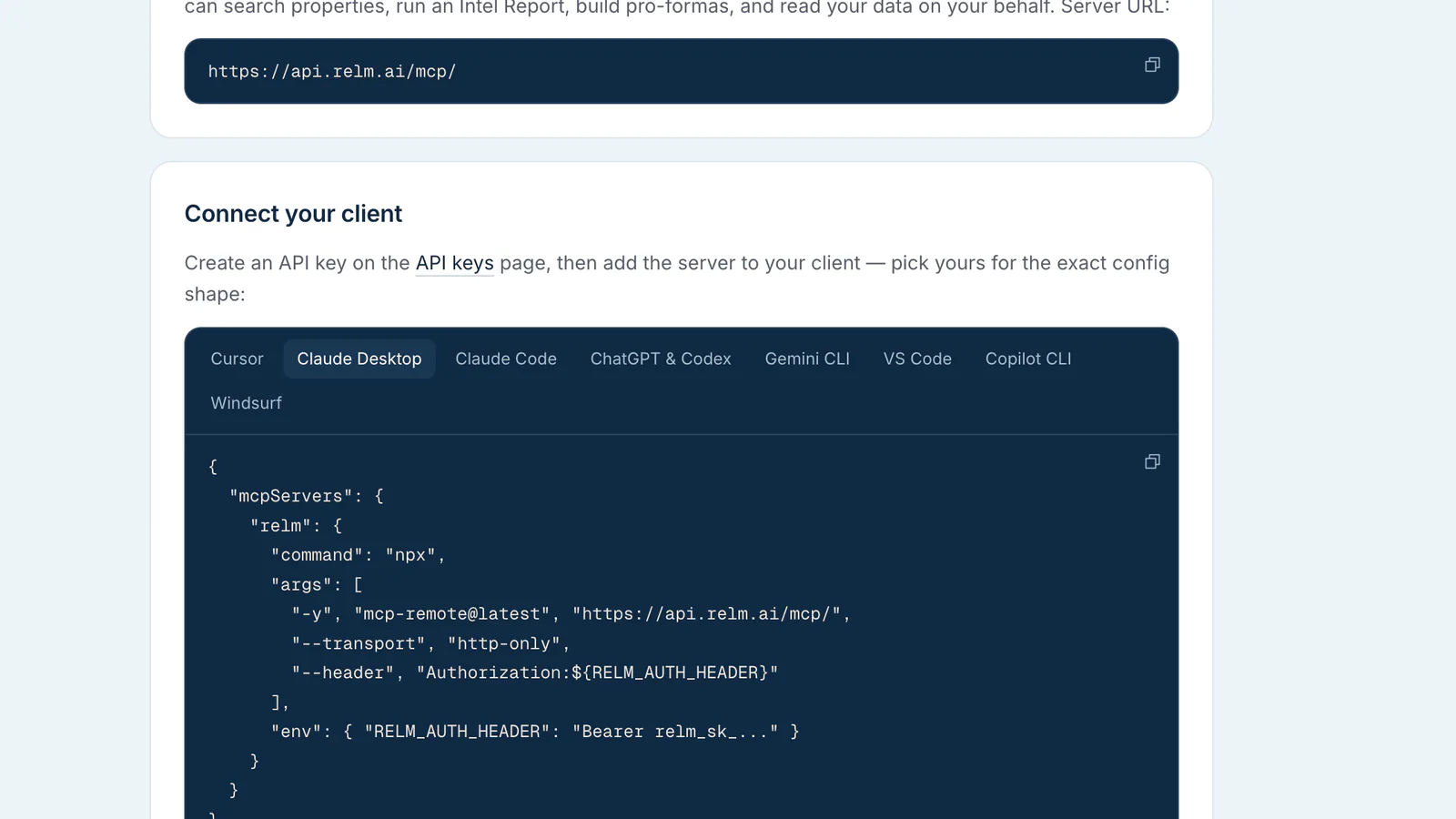
Every assistant connects to one address:
https://api.relm.ai/mcp/
There are two ways to prove it is you:
- Sign in with Relm. Browser assistants such as chatgpt.com, claude.ai and grok.com show a sign-in button when you add Relm. You sign in with your Relm account and choose which workspace the assistant may use. No key to copy.
- An API key. Desktop apps, terminal tools and code editors send your Relm API key with each request. Use this where the assistant has a field or file for a header.
Before you start
- A paid Relm plan. Both sign-in and API keys only work for workspaces on a paid plan.
- For a key: an API key. Create one in Settings → Developer. See Create an API key. Signing in needs no key.
- The assistant's own requirements. Some features below need a particular plan or an admin's approval on the assistant's side. Each guide says which.
Which versions can connect
Browser assistants connect by signing in with Relm; desktop, terminal and editor tools connect with an API key. A few assistants offer neither for servers you add yourself. The table shows where each one stands as of October 2026.
| Assistant | Works with Relm | Does not work yet |
|---|---|---|
| Claude | claude.ai in the browser and Claude's mobile apps (sign in), Claude Desktop app, Claude Code (terminal) | |
| ChatGPT | chatgpt.com in the browser (sign in), ChatGPT desktop app for macOS and Windows, Codex (terminal and IDE extension), the OpenAI API | ChatGPT mobile apps |
| Gemini | Gemini Enterprise (sign in), Gemini CLI, Gemini Code Assist in VS Code, Google Antigravity, the Gemini API | gemini.google.com, the Gemini mobile and desktop apps |
| Grok | grok.com in the browser (sign in), the Grok command-line tool, the xAI API | |
| GitHub Copilot | VS Code, Visual Studio, JetBrains IDEs, Xcode, Eclipse, Copilot CLI, Copilot cloud agent on github.com, Microsoft 365 Copilot through a Copilot Studio agent | Copilot Chat on github.com, the consumer Microsoft Copilot app |
| Cursor, Windsurf and others | Any client that can send a custom Authorization header, or that signs in to MCP servers |
Pick your guide
- Claude: Desktop app, claude.ai, Claude Code
- ChatGPT: desktop app, Codex, the browser, the OpenAI API
- Gemini: Gemini CLI, Code Assist, Antigravity, Gemini Spark, Gemini Enterprise, the Gemini API
- Grok: grok.com, the Grok command-line tool, the xAI API
- GitHub Copilot: VS Code and other IDEs, Copilot CLI, github.com, Microsoft 365 Copilot
- Cursor and other clients
If something does not connect, see Troubleshooting MCP connections.
What the assistant can do
- Signed in: the assistant can do what a Read & write key can, in the workspace you chose when you signed in: search, preview and read, start Intel Report and pro-forma runs, edit pro-forma lines, manage portfolios and upload documents. To stop it, disconnect Relm in the assistant. Removing someone from the workspace stops their access within a minute.
- A Read only key lets the assistant search, preview and read. It cannot start runs or change anything. Use this for assistants unless you need more.
- A Read & write key also lets it start Intel Report and pro-forma runs, edit pro-forma lines, manage portfolios and upload documents.
Runs that spend credits ask you to confirm first, in assistants that support confirmation prompts. Treat a key like a password: anyone who has it can act on your workspace. If a key leaks, revoke it in Settings → Developer and create a new one.
Good first prompts
- "Use Relm to find my properties in Brooklyn."
- "Preview 350 5th Ave, New York, NY 10118 with Relm."
- "Check permits and violations at that address with Relm and cite the records."
- "How many Relm credits does my workspace have left?"
What lookups cost
Lookups that pull data use credits, even when the answer comes back fast from a recent call: an address preview or a property record 10 credits, a public-records lookup, a zoning code search or a document search 2 credits, a batch read of several public-records sources 2 credits per source that answered, a public-records question about an address or about a city or county 20 credits. Reading data already in your workspace is free. The assistant can tell you what each lookup cost.