| Where | Works with Relm | What you do |
|---|---|---|
| Gemini CLI (terminal) | Yes | Run one command, then trust your folder |
| Gemini Code Assist in VS Code (agent mode) | Yes | Same settings file as Gemini CLI |
| Google Antigravity | Yes | Add Relm to its MCP config file |
| gemini.google.com (Gemini Spark) | Where Google offers it | Add Relm as a custom app and sign in |
| Gemini mobile and desktop apps | Through Gemini Spark | Set it up on gemini.google.com first |
| Gemini Enterprise | Yes | An admin adds Relm as a custom MCP server with sign-in |
| Gemini API | Yes | Pass Relm as an MCP server with a header |
In Gemini Spark and Gemini Enterprise you sign in with your Relm account. Everywhere else you need a Relm API key. See Create an API key.
In the terminal: Gemini CLI
- Add Relm, with your key in place of
relm_sk_...:
gemini mcp add --scope user --transport http \
  --header "Authorization: Bearer relm_sk_..." \
  relm https://api.relm.ai/mcp/
--scope user makes Relm available in every folder. Without it, Gemini CLI adds Relm to the current folder only.
- Trust the folder you work in. Gemini CLI switches every MCP server off in a folder you have not trusted, including servers added with
--scope user. Startgeminiin your project folder and accept when it asks whether to trust the folder, or run/permissionsinside Gemini CLI later.
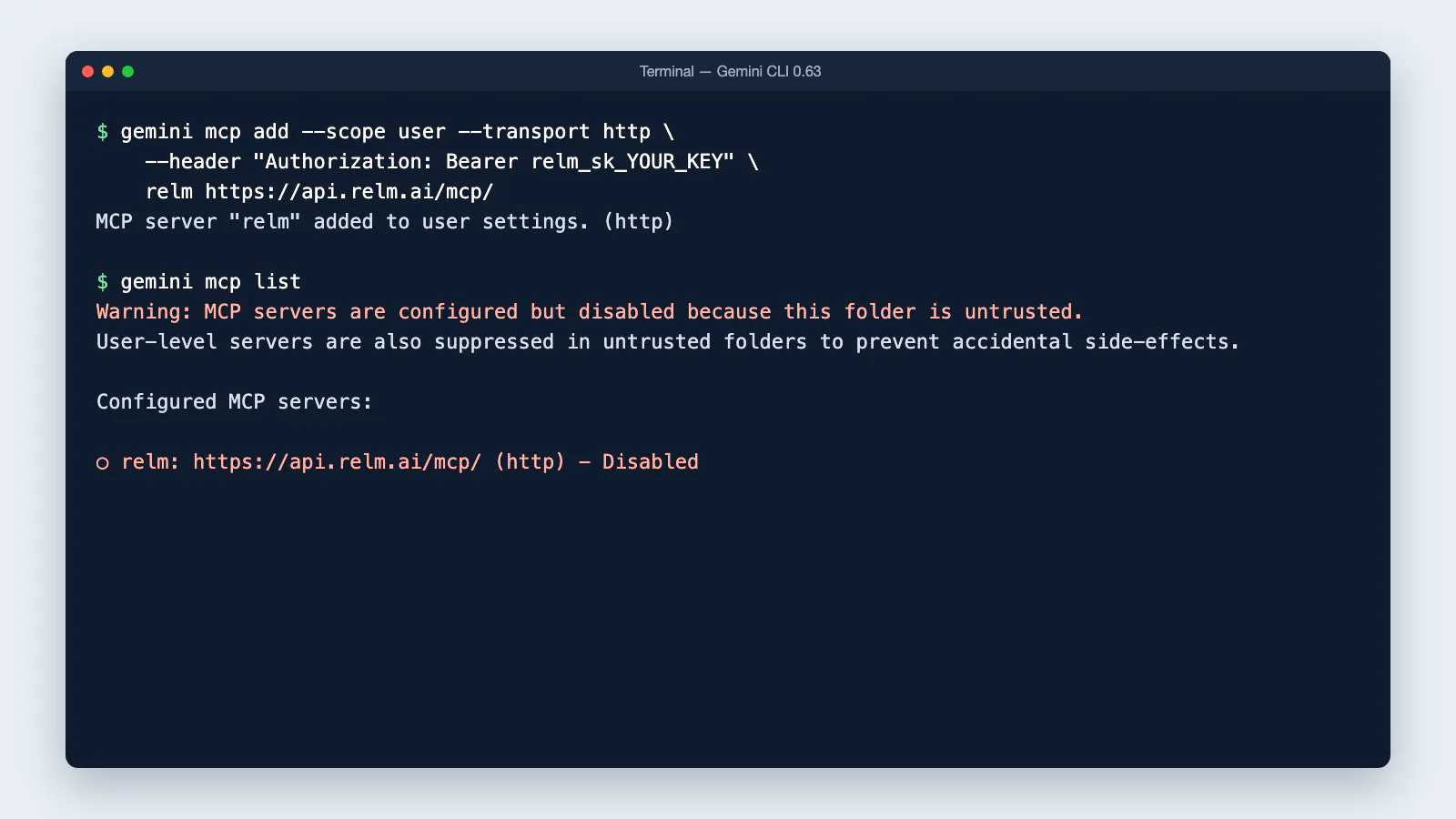
- Check it: inside Gemini CLI, type
/mcp. Relm should show as connected, with its tools. From your shell,gemini mcp listshows the same.
The command writes this to ~/.gemini/settings.json. You can also add it by hand:
{
  "mcpServers": {
    "relm": {
      "type": "http",
      "url": "https://api.relm.ai/mcp/",
      "headers": { "Authorization": "Bearer ${RELM_API_KEY}" }
    }
  }
}
Values in the settings file can read environment variables, as ${RELM_API_KEY} does above, so the key does not have to sit in the file. If the variable is not set, Gemini CLI sends an empty key and Relm refuses it.
Gemini CLI asks before each Relm tool runs, and offers to always allow a tool or the whole server. Google's guide: MCP servers with Gemini CLI.
In your editor: Gemini Code Assist (VS Code)
Agent mode in Gemini Code Assist reads the same ~/.gemini/settings.json as Gemini CLI.
- Add Relm with the Gemini CLI command above, or paste the JSON into
~/.gemini/settings.json. - In VS Code, open the Command Palette and run Developer: Reload Window.
- Open Gemini Code Assist in the activity bar and switch on Agent.
- Type
/mcpin the chat to see Relm and its tools.
You cannot add MCP servers from VS Code's Command Palette for Gemini Code Assist; use the settings file. Google's guide: Use the Gemini Code Assist agent mode.
In the app: Google Antigravity
Antigravity keeps its MCP servers in ~/.gemini/config/mcp_config.json (or .agents/mcp_config.json inside a project). It uses serverUrl, not url:
{
  "mcpServers": {
    "relm": {
      "serverUrl": "https://api.relm.ai/mcp/",
      "headers": { "Authorization": "Bearer relm_sk_..." }
    }
  }
}
To open the file from the Antigravity editor: select … at the top of the agent panel, then MCP Servers → Manage MCP Servers → View raw config. Save, and Relm appears in the list of installed servers. Antigravity asks before running each tool unless you allow them. Google's guide: MCP in Antigravity.
In the browser: gemini.google.com (Gemini Spark)
Google lets you add your own MCP servers only to Gemini Spark, and only if you use Gemini with a personal Google account, in the US, in English, with Keep Activity on. Work and school accounts cannot add them.
- On gemini.google.com, open Settings & help → Connected Apps.
- Under Custom apps for Spark, add a custom app with the URL
https://api.relm.ai/mcp/, then select Next. - Gemini opens Relm's sign-in page: sign in, choose the workspace Gemini may use, and approve access.
Once connected, Relm is available in Gemini Spark on the web and in the Gemini mobile app. Google's guide: Connect custom apps for Gemini Spark. Some developers report that Gemini sometimes stops after the sign-in page without finishing the connection; if that happens, use Gemini CLI, Gemini Code Assist or Antigravity, above.
At work: Gemini Enterprise
A Gemini Enterprise admin adds Relm once as a custom MCP server, and each person then signs in with their own Relm account. Gemini Enterprise cannot register itself with Relm's sign-in page, so Relm gives every organization the same ready-made sign-in client. You find its values in Relm, under Settings → Developer → MCP → Gemini Enterprise.
- In the Gemini Enterprise console, open Data stores, select Create data store, and choose Custom MCP Server.
- Choose OAuth 2.0 and paste the values from Relm: MCP Server URL, Authorization URL, Authorization URL Parameters, Token URL, Client ID, Client Secret and Scopes. Tick Enable PKCE Support.
- Select Verify Auth, sign in with your Relm account, choose your workspace, and approve access. Then create the data store and enable Relm's actions.
- If your organization limits outbound connections, allow the domains of the MCP Server URL and the Authorization URL.
Keep the Authorization URL Parameters value: it tells Relm's sign-in page which server the access is for, and Relm refuses sign-ins without it.
Google's guide: Set up your custom MCP server connection.
From your own code: Gemini API
The Gemini API can call Relm for you during a request. Send your key in headers:
from google import genai

client = genai.Client()
interaction = client.interactions.create(
    model="<model>",
    input="Use Relm to preview 350 5th Ave, New York, NY 10118.",
    tools=[{
        "type": "mcp_server",
        "name": "relm",
        "url": "https://api.relm.ai/mcp/",
        "headers": {"Authorization": "Bearer relm_sk_..."},
    }],
)
Google's guide: Remote MCP in the Gemini API.