One of Relm Pro's three foundational principles is Trust through Sources: every number in the system should be traceable to a citation or marked as an explicit assumption. This page explains what citations look like, where they come from, and what to do when one doesn't add up.
What a citation looks like
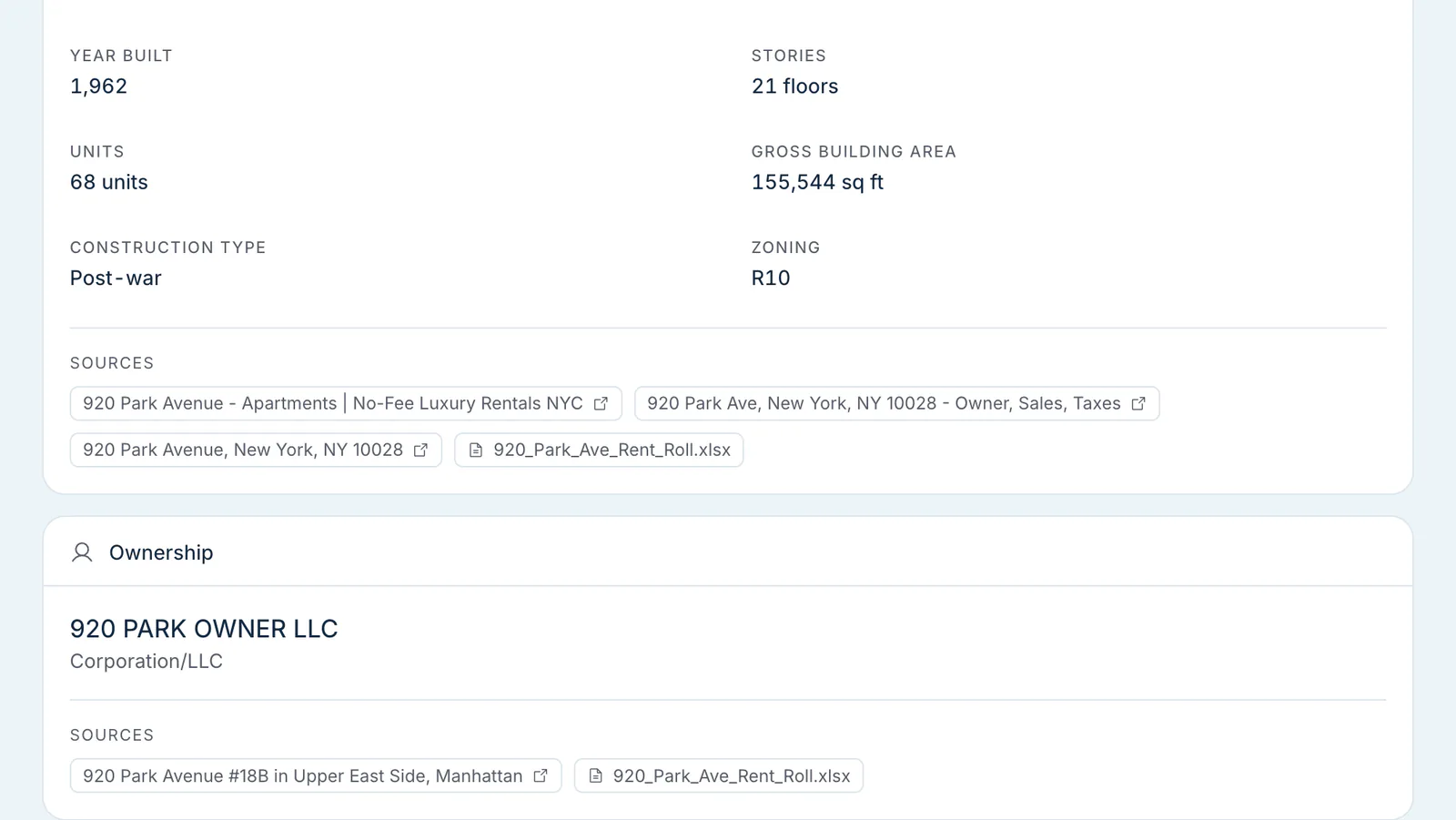

Research sections show where their data came from: a Sources list on the section page, a Sources & Citations panel on each pro-forma line item, and citation links in chat answers. Each source is labeled with where the figure came from, for example:
Year built: 1998 [↗ Property records] Median household income: $72,400 [↗ Government records (US Census) 2024] Comp #3 cap rate: 5.4% [↗ Listing site]
Click a source to open it — a web page opens in a new tab, and an uploaded document opens in Relm's document viewer. Some sources, such as licensed property records, appear as a label without a link.
Assumptions and overrides
Some values can't be sourced — they're modeling choices Relm made on your behalf, mostly in the pro-forma. Click any pro-forma line item to see its Key Assumptions and the Methodology & AI Reasoning behind the default.
You can override these values directly. When you save an edited pro-forma value, Relm adds a "User Override" note with the old and new value to that line's sources, and the change is listed in the section's History, where you can revert it. See version history.
What sources we draw from
The full list is in Where your data comes from. The short version: county assessor records, licensed property records, federal demographic and labor statistics, listing platforms, a maps and places API, an agentic web crawler, and your uploads.
When citations conflict
For some properties, two sources disagree (the assessor says 1996, the OM says 1998). Relm's pipeline picks the most authoritative source per field and shows that value with its source — for example, an uploaded rent roll wins on unit count. There's no separate conflict view, so if you have local knowledge, edit the value; your change is recorded in the section's History.
When a source is unreachable
Public listing platforms occasionally rate-limit or restructure their pages, so a source link can stop working after the fact. The value stays in Relm. To try to refresh it, re-run the section — see Per-section reruns (re-runs use credits).
When you spot a wrong citation
If a citation links to an incorrect record (we cited the wrong tax bill, attributed a comp to the wrong asset class, etc.):
- Override the value with what you know to be correct.
- Report it as a bug so we can fix the underlying mapping.
This is important — silent data errors compound. We'd rather hear about a wrong citation than have you work around it.
In exports
When you import a section into Excel with the Excel add-in, each sheet ends with a Sources & Citations table listing each source, its link, and a confidence rating. The pro-forma's Export Excel download doesn't include citations. The PDF/Word Relm Report puts citations as footnotes.